
What a Kitsap County Court Docket Contains
A docket is not the same thing as a case file. It is a running list of every action taken in a case, sorted by date. Each line on the docket shows what happened and when. Filings, hearings, orders, continuances, and dispositions all get their own entry. The docket tells you the shape of a case at a glance, without showing you the actual documents inside. Think of it as an index or a case timeline.
Kitsap court dockets can cover a wide span of time. A felony case in Superior Court may run for months and show dozens of entries, from the initial arraignment through sentencing. A simple District Court traffic matter may have only two or three lines. The entries record who filed what, which judge or commissioner handled a motion, and whether a hearing was continued or resolved. Some entries link to documents if the court has made them available through the portal. Others are text-only records of what the court clerk noted in the file.
The fields below appear most often in Kitsap docket records.
| Field | What It Shows |
|---|---|
| Entry Date | The date a document was filed or an event was recorded in the case. |
| Event Type | The category of action, such as hearing, motion, order, or disposition. |
| Party Filing | Which side initiated the action: plaintiff, petitioner, defendant, respondent, or the court itself. |
| Document Title | The name of the document filed, such as "Notice of Hearing" or "Proposed Order." |
| Judge or Commissioner | The judicial officer assigned to or who ruled on the entry. |
| Hearing Date and Time | The scheduled date and courtroom for an upcoming or past hearing. |
| Disposition or Outcome | The result when a charge or motion is resolved, such as a plea, dismissal, or judgment. |
Not all fields appear in every entry. Some docket lines are simple one-line notes. Others link to a signed order or a filed document. What you see depends on the court, the case type, and whether the file has been made available through the portal.
Kitsap Superior Court Daily Calendar
Superior Court publishes its hearing schedule as a daily and weekly calendar on the county website. The calendar is open to anyone and does not require a login. It lists cases set for hearing each day across the eight Superior Court departments. Judges in Kitsap Superior Court include Tina Robinson, Michelle Adams, Melissa A. Hemstreet, William C. Houser, Jeffrey P. Bassett, Kevin D. Hull, Jennifer A. Forbes, and Cadine Ferguson-Brown. The calendar shows which department handles each scheduled matter, making it possible to confirm a hearing date before driving to the courthouse.
The calendar is most useful for parties who already know their case is set. It is not a full docket search tool. You cannot search the calendar by case number or look up every filing in a case. For the full case file, the Kitsap County Clerk handles Superior Court records and directs the public to the Washington State Digital Archives for electronic document access. More detail on that process is on the Kitsap County court records page.
The screenshot below is from the Superior Court daily calendar page at kitsap.gov, where hearings are posted for each judicial department.
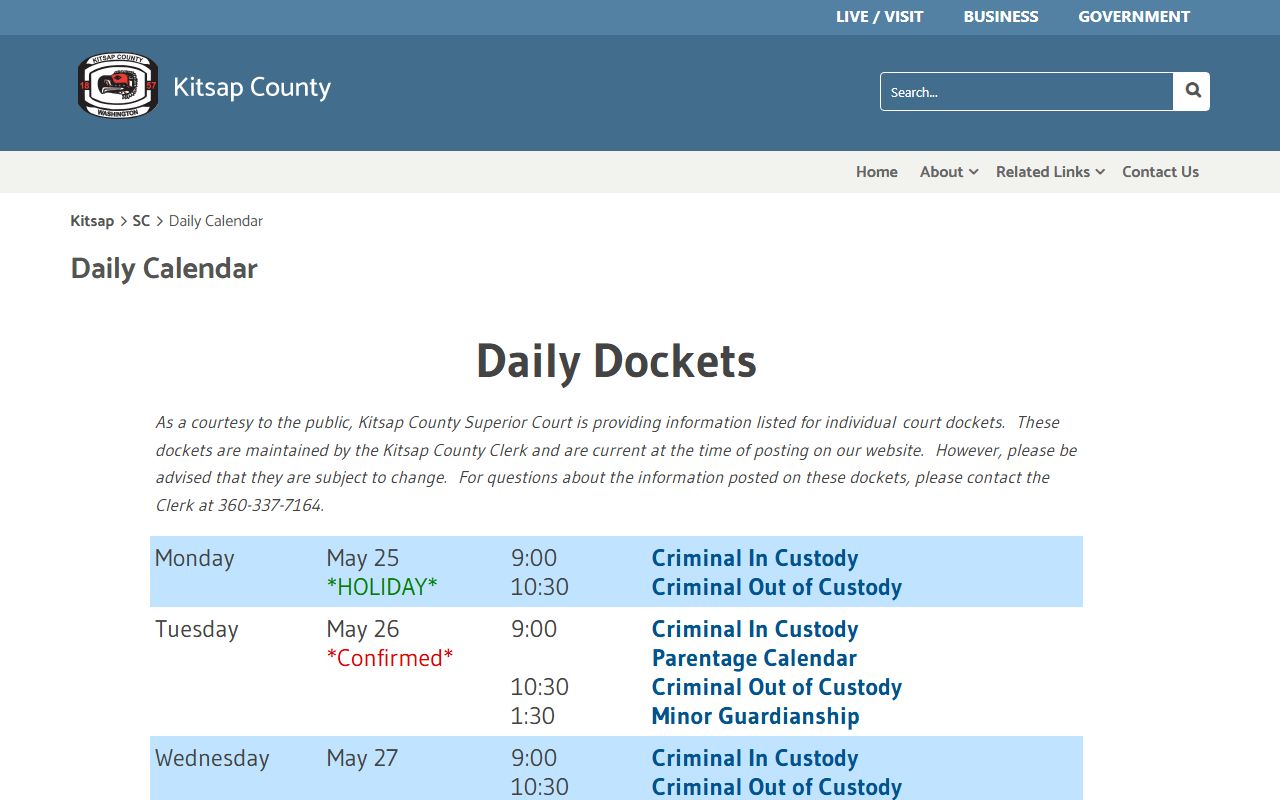
From this page you can see the date, department, and case list for any day the court is open.
Superior Court is a court of record in Kitsap County. It is required to stay open except on non-judicial days. That means felony, divorce, probate, juvenile, guardianship, and major civil matters all have their hearing dates posted through this calendar. If your case is in Superior Court and you need to confirm a court date, start here before calling the Clerk's office.
District Court ePortal Calendar Search
The District Court ePortal at efiling-dc.kitsap.gov handles calendar searches for Kitsap District Court cases. District Court covers misdemeanors, gross misdemeanors, traffic infractions, protection orders, name changes, small claims, and civil cases within the court's statutory limit. The ePortal offers three calendar search modes in addition to case-number lookup. Each mode targets a different type of search: finding a hearing by party name, locating cases by an attorney or officer, or pulling all cases set in a specific courtroom.
A registered account is required to search and view case files through the ePortal. Registration is free. Attorneys have been required to use the ePortal for all filings since November 13, 2023 under local rule LGR 30.1. Self-represented litigants may use the ePortal but are not required. The public can register and use the calendar search features without filing.
The screenshot below shows the ePortal login and search entry page for Kitsap District Court.
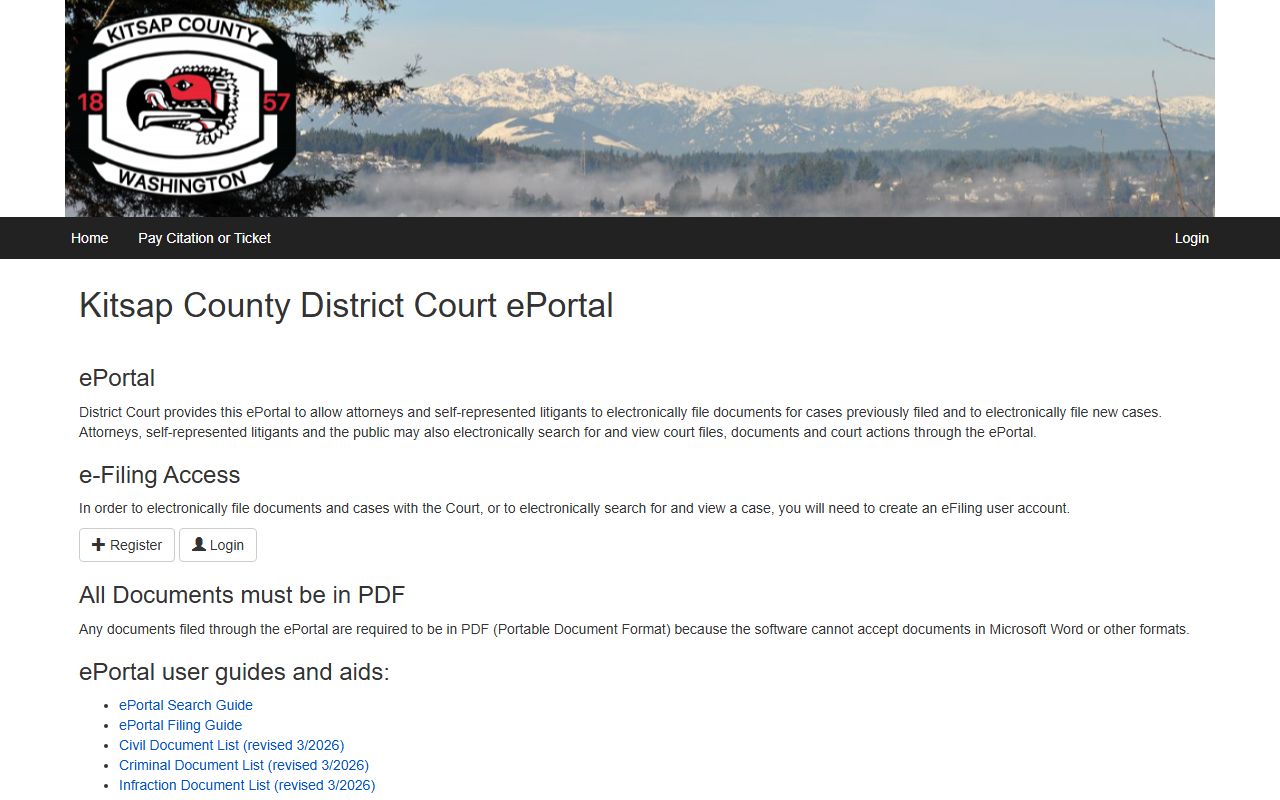
Once logged in, users reach the navigation menu that includes Case Search and the three Calendar Search modes described in the search-field table below.
The table below lists every search field available in the District Court ePortal calendar, drawn from the official ePortal search guide.
| Field Label | Type | Required | Options / Format Notes |
|---|---|---|---|
| Case Search | Navigation / search mode | Optional mode | Use when searching by case number; separate from calendar modes. |
| Case Number | Text | Required for Case Search | Type the case number, then click Search; click the blue case number in results to open. |
| Calendar Search | Navigation menu | Optional mode | Dropdown has Calendar Search By Name, Calendar Search By Attorney And Officer, Calendar Search By Courtroom. |
| Event Date | Date / date range | Recommended for all calendar searches | Enter hearing date or range; guide recommends a date range for faster response. |
| Last Name | Text | Required for Calendar Search By Name | Party last name must be entered; first name is optional. |
| Identification Type | Dropdown | Required for attorney / officer search | Options: Bar Number (attorney) or Badge Number (officer). |
| Identification Number | Text | Required for attorney / officer search | Enter bar number or badge number matching the selected type. |
| Location | Dropdown | Optional / recommended | Courtroom selection; narrowing by courtroom speeds results. |
| Single Day | Dropdown / caret option | Optional | Click caret and select Single Day for faster single-date searches. |
| Search | Button | N/A | Runs the search after fields are filled. |
| Case Number link | Result link | N/A | Blue highlighted case number in results opens the full case view. |
| Back arrow | Browser control | N/A | Returns to the calendar search screen after viewing a case. |
Note: The ePortal guide recommends narrowing by hearing date and courtroom at the same time to get the fastest response from the system, especially when searching a busy date range.
How to Search the District Court Calendar
The steps below walk through the Calendar Search By Name mode, which most people use to find a court date. The other two calendar modes follow the same basic flow but use different search fields. Once logged in, the navigation menu at the top of the ePortal shows the search options.
- Go to the ePortal at efiling-dc.kitsap.gov and log in with your registered account. If you do not have an account, complete free registration first.
- From the navigation menu, open the Calendar Search dropdown and select Calendar Search By Name.
- Enter the party's last name in the Last Name field. A first name is not required but helps narrow results.
- Enter a date or date range in the Event Date field. A date range returns faster results than searching an open span. For a single date, click the caret next to the date field and select Single Day.
- If you know which courtroom the hearing is in, select it from the Location dropdown. This is optional but speeds the search.
- Click Search. Results list matching cases with their scheduled hearing dates and case numbers highlighted in blue.
- Click the blue case number to open the full case view, which shows the docket entries and any linked documents.
- Use the browser back arrow to return to the calendar search results when you are done viewing a case.
For the attorney and officer search mode, substitute the Identification Type dropdown and Identification Number field for the Last Name field. For the courtroom mode, skip the name and ID fields and rely on the Location dropdown and Event Date range to pull all cases set in that room.
Washington Courts Statewide Case Search
The Washington Courts case search tool at dw.courts.wa.gov is a free statewide resource that does not require an account. It covers basic case data and court dates across Washington Superior Courts and District Courts, including Kitsap. Both the Kitsap County Clerk and the Office of Public Defense link this tool for people trying to find a court date. It is the fastest starting point when you do not know whether a case is in Superior or District Court.
The statewide tool is better for confirming a case exists and finding a court date than for reading the full docket. It does not replace the ePortal or the Digital Archives for document access. For Superior Court document copies, the Clerk directs the public to the Digital Archives. For District Court filings and full docket entries, the ePortal is the source. More on how those systems connect is on the Kitsap County court records page.
The screenshot below shows the Washington Courts case search home page at dw.courts.wa.gov.
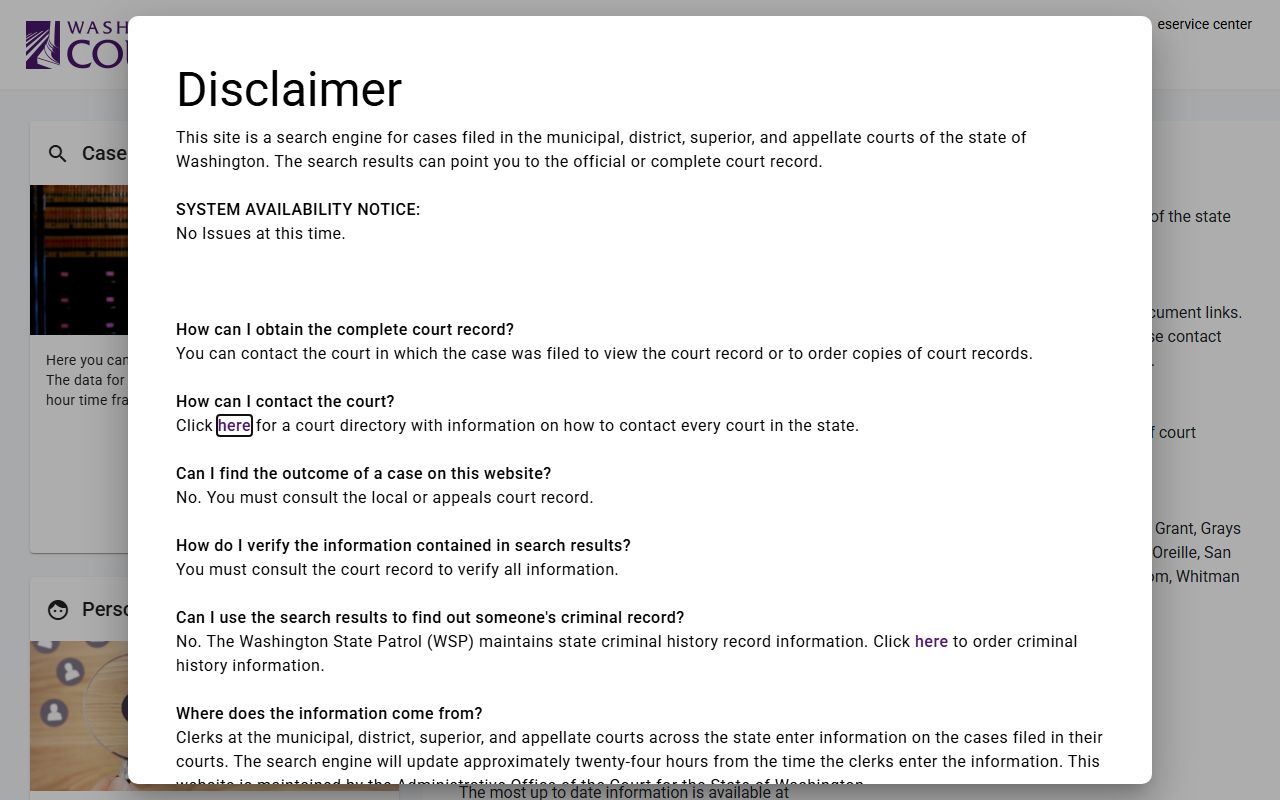
From this page, you can search by name or case number across every Washington county without knowing ahead of time which court holds your case.
Common Kitsap County Docket Terms
Docket entries use legal shorthand. Some terms show up constantly. Knowing what they mean saves time when reading a case log, especially if you are searching a case that has moved through multiple hearings over many months.
- Docket
- The official log of every event in a court case, listed in date order. Each entry records what was filed, heard, or decided on that date.
- Calendar
- The court's schedule of cases set for hearing on a given day or week. A calendar entry means a hearing is planned; a docket entry records what actually happened.
- Bench copy
- A copy of a motion or proposed order delivered to the judge before a scheduled hearing. Bench copies are required in Kitsap Superior Court for most motions and must be submitted to the judge's chambers by the court's deadline.
- Continuance
- A postponement of a scheduled hearing or trial to a later date. A continuance entry on the docket means the hearing did not go forward as originally set.
- Ex parte
- A matter presented to the court by or for one side, without the other side present. Ex parte hearings in Kitsap Superior Court follow a pre-check-in process; the old pandemic-era email filing method ended January 21, 2025.
- Disposition
- The final outcome of a criminal charge or the resolution of a case. Common dispositions include a plea, a dismissal, a not-guilty verdict, or a judgment in a civil matter.
If you see a term on a Kitsap docket that is not listed here, contact the Clerk of the Superior Court or the District Court office directly. Clerks can explain what an entry means in plain terms, though they cannot give legal advice.
Docket vs. Full Case Record in Kitsap County
People often use the terms docket and case record as if they mean the same thing. They do not. A docket is the index. A case record is the contents. The docket tells you that a motion was filed on a certain date. The case record contains the actual motion document, any declarations attached to it, the proposed order, and the judge's signed ruling. Both are part of the official court record, but they serve different purposes and are accessed differently in Kitsap.
For Kitsap Superior Court matters, the Clerk maintains both. The docket and basic case status are visible through the statewide Washington Courts tool. The actual documents live in the Washington State Digital Archives, where the public can preview and purchase electronic copies. Certified copies must be requested from the Clerk's office at 614 Division Street, Room 202, in Port Orchard. For Kitsap District Court matters, the ePortal handles both the calendar search and document viewing once a user has a registered account.
| Docket | Full Case Record | |
|---|---|---|
| What it is | A dated log of events in the case | The actual documents, orders, and exhibits filed |
| Primary use | Track case status, confirm hearing dates | Read filings, obtain certified copies, review evidence |
| Where to access | Washington Courts tool or District Court ePortal | Digital Archives (Superior Court) or District Court ePortal |
| Cost | Free to view basic entries | May require purchase or certified copy fee from Clerk |
| Login needed | No for Superior Court calendar; yes for ePortal | Yes for Digital Archives purchase; yes for ePortal |
If you need a document for court, a legal proceeding, or an official filing in another state, you need the full case record and almost always a certified copy. A docket entry alone is not accepted as proof of a court ruling. The Clerk of the Superior Court handles certified copies for Superior Court matters. District Court document copies are requested through the ePortal or by contacting the District Court office at 360-337-7109.
Which Kitsap Courts Publish Dockets Online
Not every court in Kitsap County posts its docket or calendar online in the same way. The two main county trial courts both have online tools, but they work differently. Municipal courts for Bremerton, Bainbridge Island, Poulsbo, and Port Orchard handle city-code, parking, and misdemeanor matters under city jurisdiction. Those courts have their own processes and contact points separate from the county courts.
- Superior Court - posts a daily and weekly hearing calendar on the Kitsap County website. The calendar is free and open to anyone. No login is required.
- District Court - uses the ePortal at efiling-dc.kitsap.gov for calendar search, case lookup, document viewing, and e-filing. A free registered account is needed for search and view access.
- Washington Courts statewide tool - covers basic case data and court dates for both Kitsap Superior and District Court. Free with no login required. Best for quick date and case-status checks.
- Odyssey Portal - subscription-based access primarily for attorneys and businesses. The Clerk directs the general public to the Digital Archives instead. Contact odyportal@kitsap.gov for subscription information.
- Municipal courts - Bremerton, Bainbridge Island, Poulsbo, and Port Orchard each operate city courts for matters under city law. Contact each city court directly for hearing schedules and docket access.
The court named on your summons, citation, or charge sheet tells you which system holds your case. If you are not sure, the statewide Washington Courts search is the fastest way to find out before you call.
How to Read a Kitsap County Docket Entry
A raw docket entry can look confusing if you are not used to court records. The date comes first. Then the event type, which might be labeled as a hearing type, a document title, or an action code. Then the party or filer. Then any note about the result. Courts use shorthand because clerks record entries quickly during and after hearings. The Kitsap Clerk's pro se handout acknowledges that court records use legal terminology and warns that self-represented litigants need to follow court rules carefully.
Disposition codes are some of the most important entries. A Kitsap criminal docket may show codes like "FTA" for failure to appear, "CONT" for continued, or a plea type. The public-facing portals do not always define these codes on the screen. If an entry is unclear, the safest step is to call the court that handled the case or visit the Clerk's office in Room 202. Clerks can tell you what an entry means in plain language, though they cannot explain what it means for your legal situation.
An arrest or a charge entry on a docket is not a conviction. The booking data shown on the Sheriff's jail viewer comes from the arresting agency and can differ from what the court docket records as the final charge. Always check the disposition entry, not just the filing or booking record, to understand how a case ended. For details on what arrest and criminal records contain, see the Kitsap County arrest records page.
Note: Online docket entries can lag behind the court by one or more business days; confirm urgent details by calling the Clerk at 360-337-7164 or District Court at 360-337-7109.